
Craftomation 101 System Requirements
Minimum specs for Windows, macOS, and Linux, with Steam Deck Playable context and save folder notes for Craftomation 101.
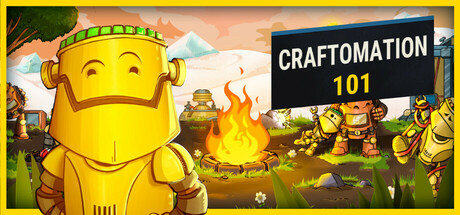
Craftomation 101: Programming & Craft is a lightweight Steam game from Luden.io. It runs on Windows, macOS, and Linux, and Steam Deck lists it as Playable. Use this page to sanity-check a PC before install, then jump to Getting Started, the full release notes context, patch 0.97.3 if you care about save-load fixes, and the Links Hub for the store page.
Minimum specifications
| Area | Minimum |
|---|---|
| OS | Windows Vista or newer; macOS 10.13 or newer; Ubuntu 16.04 or newer |
| Processor | 1.2 GHz |
| Memory | 1 GB RAM |
| Graphics | Intel HD 3000 class with OpenGL 2.0 or better |
| Storage | about 100 MB available space |
These minimums match the documented lightweight footprint: a small download, modest CPU, and integrated graphics from the early 2010s era can still boot the client. “Runs” is not the same as “comfortable with huge mate swarms,” but the floor is intentionally low for a programming & craft sandbox.
What the minimums mean in practice
- OS spread: Vista-class Windows support signals how undemanding the binary is; modern Windows 10/11 machines clear the bar easily. macOS 10.13+ and Ubuntu 16.04+ cover older laptops still used for indie Steam libraries.
- 1.2 GHz CPU: Enough for drag-and-drop crafting and visual programs at small-to-medium colony sizes. Very old netbooks may hitch when dozens of CraftoMates path at once—reduce on-screen clutter if so.
- 1 GB RAM: Leave headroom for the Steam client and OS browser overlays. Close heavy Chrome sessions on 2–4 GB machines while playing.
- Intel HD 3000 / OpenGL 2.0: Integrated GPUs work. Update GPU drivers if the window fails to create an OpenGL context.
- ~100 MB storage: Trivial by modern SSD standards; still verify disk quotas on school or work lockdowns.
Recommended mindset (not an official higher tier)
The studio publishes a low minimum rather than a flashy recommended column. For comfort we suggest:
- Dual-core CPU at 2 GHz+
- 4 GB RAM so Steam + Discord + the game coexist
- Any GPU with stable OpenGL drivers newer than HD 3000
- SSD install for faster shader/cache warm-up
You do not need a ray-tracing card to combine Stone into Spark.
Windows save folder path
On Windows, Craftomation 101 keeps player data under Roaming AppData:
C:\Users\<YOU>\AppData\Roaming\Craftomation 101
Replace <YOU> with your Windows user folder name. Typical uses:
- Backup before major Steam updates — copy the folder (or at least your active save files) to an external drive or cloud sync you trust.
- Migrate a PC — install Steam + the game on the new machine, then restore this folder so colonies return.
- Diagnose sticky loads — if a world stalls on open, keep a dated backup first. Patch 0.97.3 specifically addressed very long loading times for some save files; still treat backups as mandatory insurance.
- Support / bug reports — never overwrite your only copy while experimenting; duplicate the folder, then test.
AppData is hidden by default in File Explorer. Paste the path into the address bar, or enable “Hidden items” under the View ribbon. macOS and Linux store user data in platform-specific application support directories—use the same backup mindset even when the path string differs.
After restoring a save, boot once, confirm Spark → Fire → Water still craft, and skim Getting Started if you are returning after a long break.
Steam Deck notes (Playable)
Steam Deck rates Craftomation 101 Playable. Expect:
- Fine on power or balanced profiles for typical colonies
- Mouse/trackpad precision matters more than raw FPS because crafting is drag-and-drop (controls)
- External mouse improves combining and block editing
- Zoom the camera when selecting small stacks
“Playable” means the game is usable with possible caveat moments—not that every UI pixel was redesigned for gamepad-only. Treat Deck as a portable desktop client. If you dual-boot or stream from a Windows host, remember that the AppData path above lives on the Windows side of that setup.
Platforms and storefront
- Steam app ID: 1724140
- Store: linked from Links Hub and
sitegame URL configuration - Developer site: luden.io/craftomation
- Single-player focus—no multiplayer requirement on your network stack
After the game left Early Access on 2026-09-14, install the latest 1.0 branch from Steam before comparing performance anecdotes from old EA builds. See full release for player-facing context and Updates Hub for related milestones.
Install checklist
- Confirm OS version meets the table above.
- Install GPU drivers with OpenGL support.
- Free at least a few hundred MB (game + Steam reserves).
- Install via Steam; verify game files if OpenGL errors appear.
- Note the Windows save path and take a first backup after your tutorial hour.
- On Deck, set a comfortable interaction method for dragging.
- Launch into Getting Started goals: Spark, Fire, first programs.
Performance tips inside the colony
Hardware is rarely the bottleneck; busy visual programs can be:
- Cap concurrent haul jobs if pathfinding spikes.
- Use Storage to reduce ground-item clutter.
- Avoid filming ultra-zoomed recordings on minimum GPUs while fifty mates move.
- Disable unnecessary overlays if frametimes stutter on HD 3000-class chips.
- Pause runaway crews with the tools described in patch 0.97.3 instead of force-killing the client mid-write when possible.
If the client is stable but you feel “slow,” you may need better automation design—visit automation priority—not a new graphics card.
Accessibility of the hardware target
Luden.io’s low bar means classrooms, older family PCs, and handhelds can join the frozen planet. That fits the teaching spirit of visual programming: the lesson is loops and recipes, not GPU branding. Share this requirements page with friends before a weekend craft session so nobody fights installers while you are already smelting Steel—and so everyone knows where their saves live before the first big patch night.
Related pages
Frequently Asked Questions
Quick answers to the most common questions.
What CPU do I need for Craftomation 101?
A 1.2 GHz processor meets the documented minimum. Newer dual-core chips are more comfortable with large mate counts.
How much RAM is required?
1 GB RAM is the minimum. Keep extra free for Steam and overlays on small machines.
Where are Windows saves stored?
Under C:\Users\<YOU>\AppData\Roaming\Craftomation 101. Backup that folder before major updates; patch 0.97.3 also fixed very long loads on some saves.
Does it run on Steam Deck?
Yes—Steam Deck lists the game as Playable. A mouse or precise trackpad use helps with drag-and-drop controls.
Which operating systems are supported?
Windows Vista or newer, macOS 10.13 or newer, and Ubuntu 16.04 or newer, per the documented minimums.
Where do I download the game?
Use the Steam store link on the Links Hub (app 1724140), and confirm you are on the post-2026-09-14 full release branch.