
Craftomation 101 Tools
Controls, recipes, and system requirements—reference cards for programming & craft on ice.
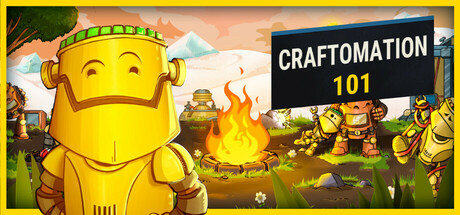
The Tools Hub collects quick-reference pages for Craftomation 101: Programming & Craft. When you need a keybind-style reminder, a color-row recipe, or a specs check before installing on a laptop or Steam Deck, start here. Deep strategy still lives under Guides and Priority Lists; tools pages stay factual and scannable.
Pages in this hub
- Controls — mouse-first drag-and-drop cheatsheet for moving units, combining stacks, and editing visual program blocks.
- Recipes — full list organized by Base, Yellow, Blue, Gray, and Green rows with practical tips.
- System requirements — minimum PC specs for Windows, macOS, and Linux, plus Steam Deck Playable notes.
When to open Tools vs Guides
Open Tools when you already know the goal (“craft Rotor,” “check RAM,” “how do I combine?”) and need the answer fast. Open Guides when you need a walkthrough: Getting Started, visual programming, Automate Fire, Feed robots, or terraforming.
Priority decisions—“should I craft this now?”—belong on early recipes, automation priority, and upgrade path. The recipe list tells you how; the priority lists tell you whether.
How recipe colors work
Craftomation 101 presents crafts in color rows that roughly track progression:
- Base — raw world resources (Stone, Soil, Iron, Ice, Copper Ore, Coal, Wood, Mushroom, Moss)
- Yellow — early combines (Spark, Fire, Sand, bricks, Water, Seeds, spores)
- Blue — industrial basics (Steel, plates, Glass, Wire, Bonfire, Magnet, charged plate, ales, Steam Bonfire pieces)
- Gray — machines and power (Battery, Radiolamp, Storage, Heater, Rotor, Furnace, brewery ales)
- Green — robotics and logistics (Chip, Copper smelt, Tank, Steam Battery, Body, Head, CraftoMate, Cargo line)
Exact inputs are listed on the recipes page. Verify in-game if a patch tweaks a cost; this wiki tracks the documented chains used across our guides.
Controls in one sentence
If you remember nothing else: the mouse does most of the work. Drag units to move them, drag items together to combine, and drag blocks to program CraftoMates. The controls page expands that into a cheatsheet you can keep on a second monitor.
Specs and performance expectations
Craftomation 101 is a lightweight Steam title (Windows, Mac, Linux) with modest minimums: roughly a 1.2 GHz CPU, 1 GB RAM, Intel HD 3000-class OpenGL 2.0 graphics, and about 100 MB of storage, on Vista-class Windows, macOS 10.13+, or Ubuntu 16.04+. Steam Deck is listed Playable. Full detail sits on system requirements. If you are installing for a friend, send them that page plus the Links Hub store URL.
Suggested toolkit workflow
- Confirm the game runs (system requirements).
- Learn the mouse vocabulary (controls).
- Follow Getting Started while keeping recipes open.
- Rank crafts with early recipes.
- Automate using automation priority and the Fire/feed guides.
- Climb upgrade path toward Cargo Mates and terraforming.
- Track version context on Updates after the 2026-09-14 full release.
Quality bar for this hub
Tool pages should stay:
- Accurate — inputs match the documented recipe rows
- Locale-agnostic in links — always
/tools/recipes/style paths - Light on lore — save story and opinion for guides and priority lists
- Cross-linked — every tool page points back to at least one guide that uses it
Official destinations
For storefront, developer site, Discord, and socials, use the Links Hub. This Tools Hub intentionally stays inside gameplay reference so searchers looking for “Craftomation 101 recipes” or “Craftomation 101 controls” land on usable charts instead of a link dump.
Browse the three child pages below in the nav dropdown, or jump with the links above. When a new machine appears in a patch, we extend the recipe row and patch the related priority note rather than inventing a second competing list.
Frequently Asked Questions
Quick answers to the most common questions.
Where is the full recipe list?
Open the Recipes tool page for Base through Green rows, then use Priority Lists if you need craft order advice.
Does Craftomation 101 need a gamepad?
Play is built around mouse drag-and-drop for movement, combining, and programming. See the controls cheatsheet for details.
Can my Steam Deck run the game?
Steam Deck is noted as Playable. Check the system requirements page for desktop minimums and Deck context.
Are tool pages updated after full release?
Yes. After the 2026-09-14 leaving of Early Access, we keep recipes and specs aligned with the live 1.0 branch and note major changes on the Updates hub.